This is permanent
Once you delete your account, BudgetOS will remove your profile, profile picture, scanned bills, and all other synced data from your account. This cannot be undone.
How to delete your account
Account deletion is handled inside the BudgetOS app on iOS or Android. Follow these steps:
- Open the BudgetOS app and sign in to your account.
- Go to Settings from the bottom navigation bar.
- Open My Account and select Delete Account.
- Review the warnings, confirm your password if prompted, and tap Delete Account Permanently.
If you cannot access the app, contact us at [email protected] and we will help process your request within 7 business days.
What gets deleted
When you delete your account, the following data is permanently removed from BudgetOS:
-
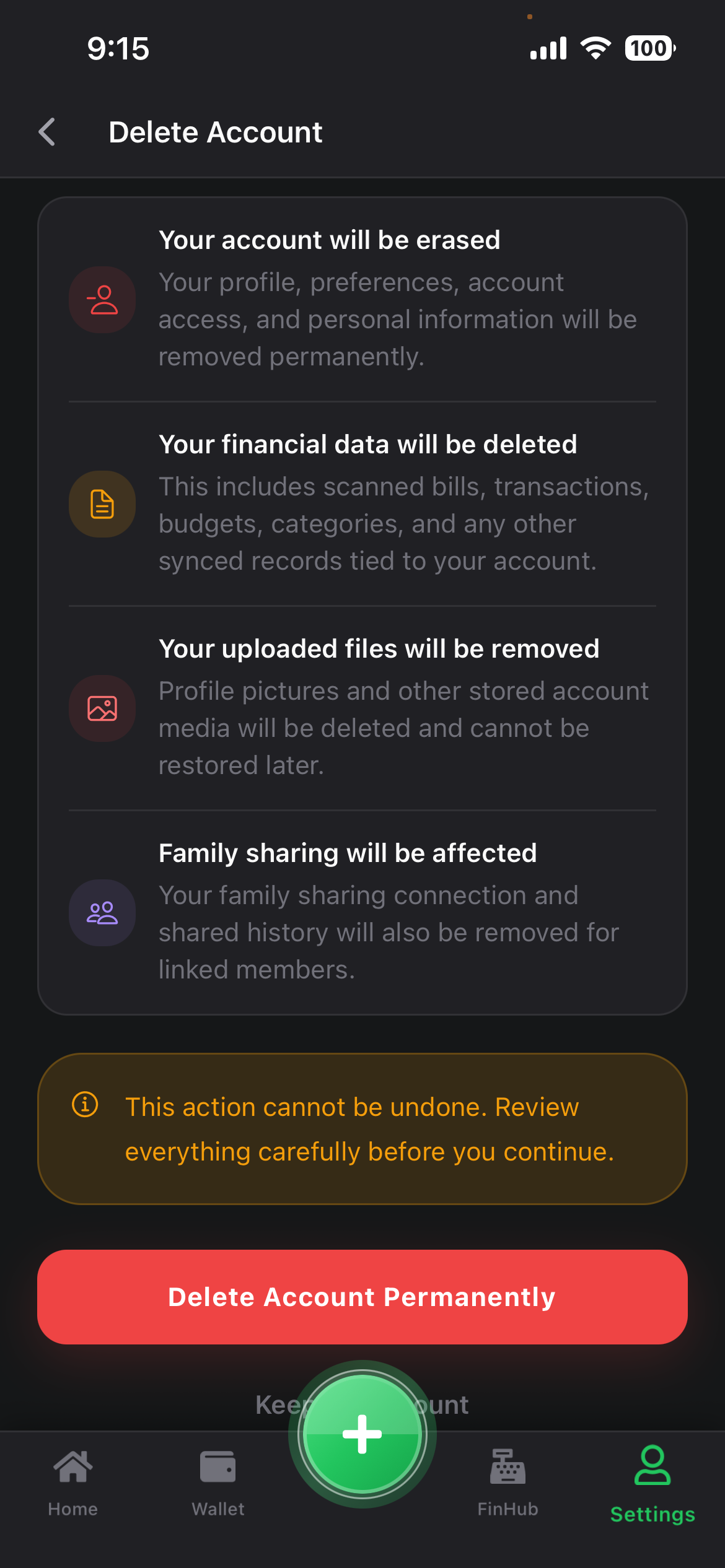
Your account will be erased
Your profile, preferences, account access, and personal information will be removed permanently.
-
Your financial data will be deleted
This includes scanned bills, transactions, budgets, categories, and any other synced records tied to your account.
-
Your uploaded files will be removed
Profile pictures and other stored account media will be deleted and cannot be restored later.
-
Family sharing will be affected
If you use Family Sharing, your family sharing connection and shared history will also be removed for linked members.
This action cannot be undone. Review everything carefully before you continue.
In-app delete screen
The delete screen in BudgetOS shows a summary of what will be removed before you confirm.
Need help?
If you have questions about account deletion or your data rights, visit our Privacy Policy or email [email protected].